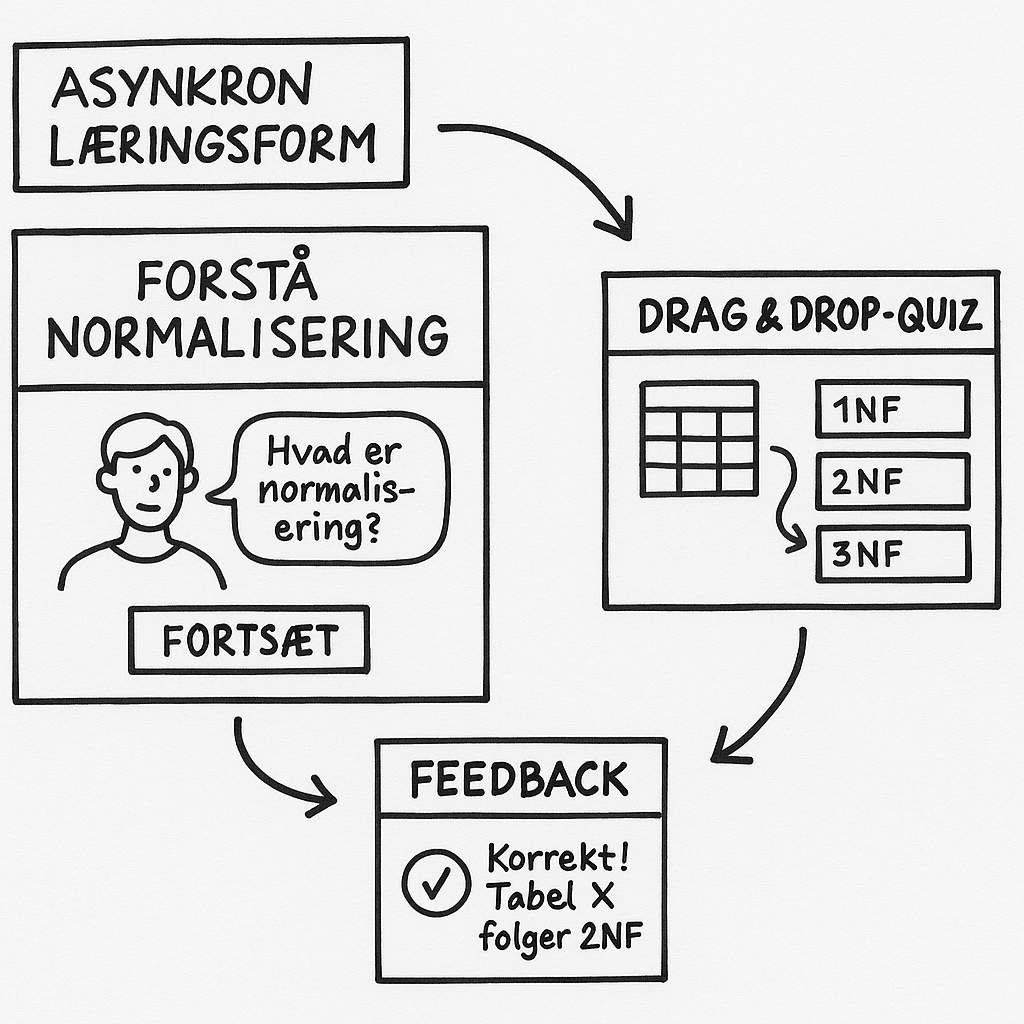
For students who learn best through active action, experimentation, and problem-solving. They understand best when they get their hands on the material themselves – and can try it out.
Key idea: Understanding through action
Kinesthetic modalities create learning through activity. They support experiential learning and create an experience of mastery – especially when knowledge is directly linked to concrete actions in a digital environment.
Toolbox: Kinesthetic modalities for asynchronous acquisition
| Modality | What does it do? | Example from computer science education | IT option (e.g. Rise) |
|---|---|---|---|
| Code sandbox / simulation | Enables experimentation with code and real-time feedback | An embedded JavaScript editor where learners modify code and see the output | Embed from Replit / JSFiddle |
| Drag-and-drop activities | Promote active engagement with concepts and structures | Sort SCRUM roles by responsibility or phase | Rise Sorting Activity (embed) / H5P |
| Scenario with choices and consequences | Allows learners to make decisions and see the effects of their choices | Choose a system architecture for a case and see the outcome | Rise Scenario block |
| Click-and-test interactions | Support learning through simple simulations and feedback | Test input–output on small functions | H5P interactive activities |
| Code walkthrough with hands-on pause | Combines video with action – “Pause and try it yourself” | Watch a coding pattern explained and then try it yourself in an editor | Video + link to sandbox / embedded sandbox |
| Mini-experiment with reflection | Creates a link between action and understanding | “Try changing X – what happens?” + reflection question in a text field | Video + Text Entry / Knowledge check |
Didactic reflection
When designing kinesthetic elements, ask yourself:
- Can they try what I usually show for themselves?
- Is it possible to fail safely and learn from it?
- Do they get feedback while shopping?
- Is the activity rooted in something practical?
Task: Outline an active asynchronous learning element
Purpose:
To design an asynchronous learning activity that gets students to take action and try something out to gain understanding.
Assignment instructions
Choose a topic from your education – e.g.:
• analyzing a requirements specification
• understanding the concept of normalization
• assessing user needs
• learning a new design pattern
Now think:
If you were to create an asynchronous learning activity where students don't just read about it, but do something to learn it – what would they do?
Your task:
Create a paper prototype of an interactive learning activity. It could be, for example:
- A flow chart of steps in the activity (preferably with arrows, symbols or notes)
- A storyboard of what the student sees and does
- A quick mockup of, for example, a sandbox, an exercise, a user journey or an interactive decision
Remember: The activity should be asynchronous, digital and action-oriented You don't have to build it – just draw it.